Choose the market
you want to trade.
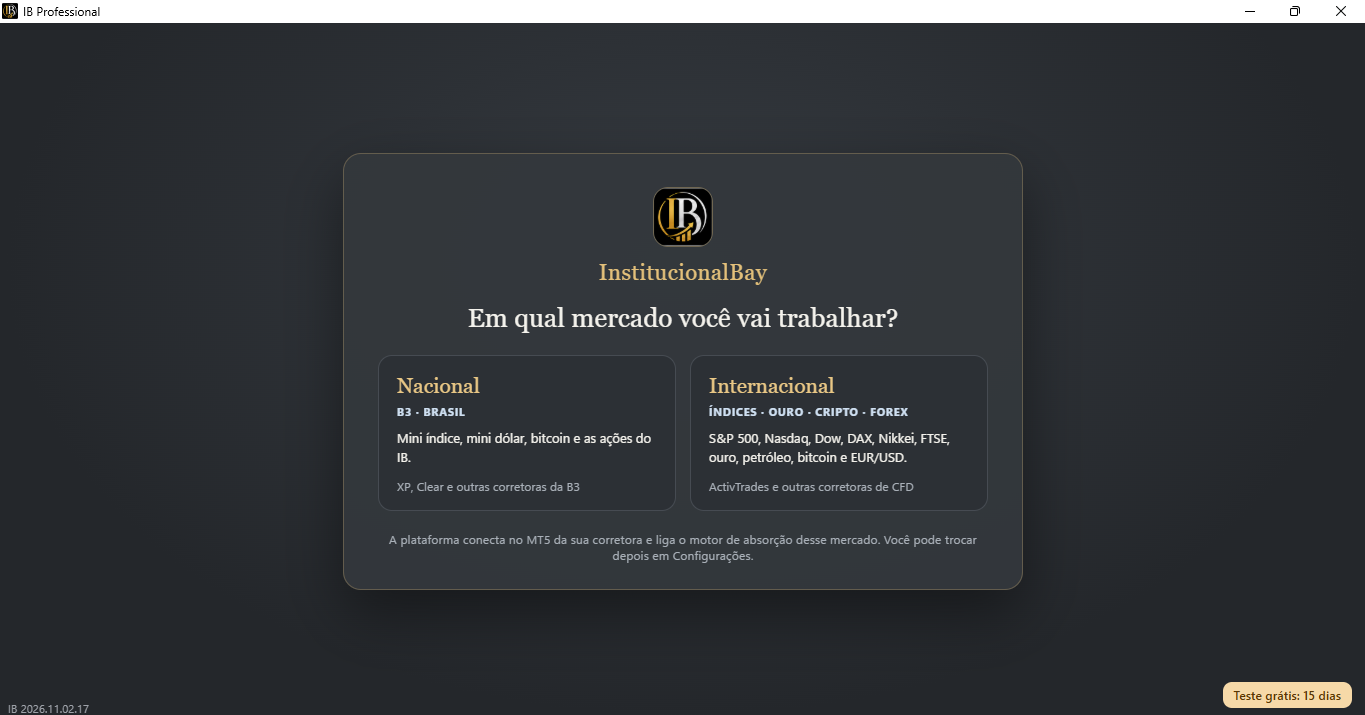
Brazilian or international market: select your environment according to your broker and the assets available.
 See full screen ↗

Build, test and trade in IB Professional. Set up IB Vigilant to monitor and execute your rules on other assets. Use both together, on the same account.
Brazilian or international market: select your environment according to your broker and the assets available.
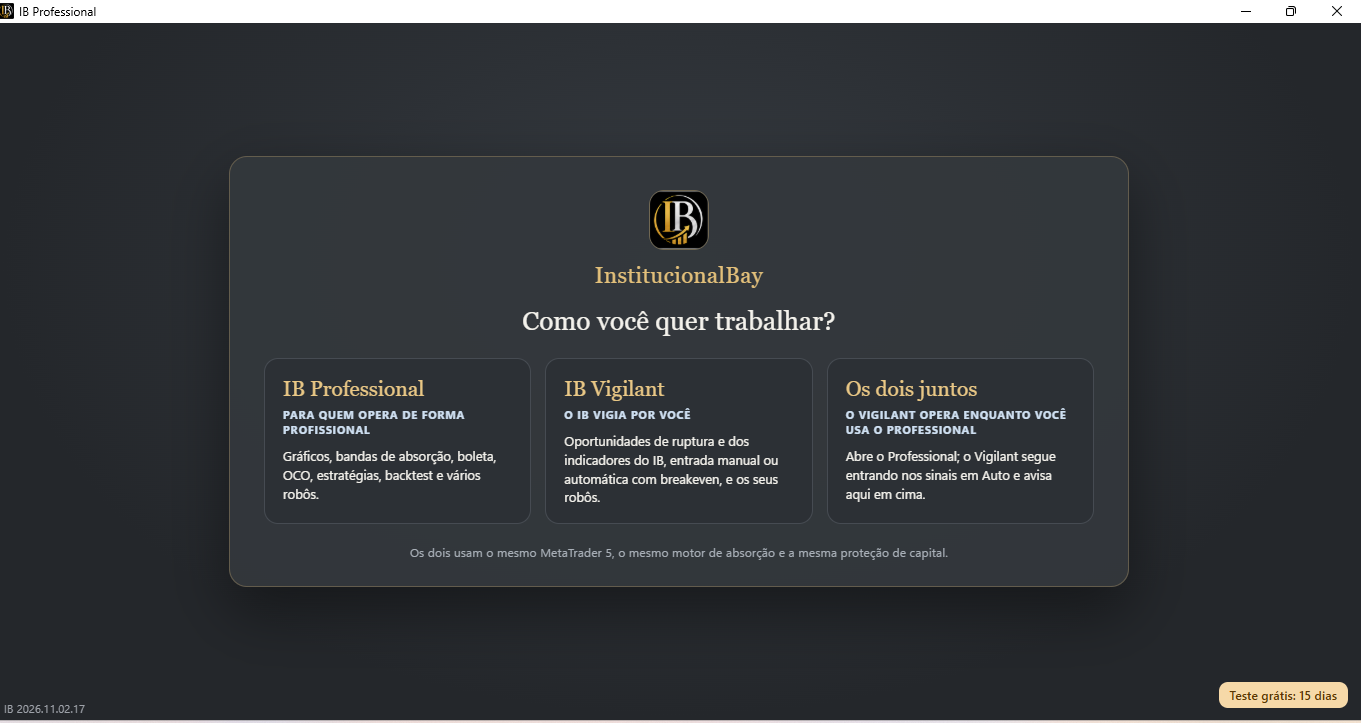
See full screen ↗IB Professional, IB Vigilant or both together. Choose how to use the two environments in your subscription.
 See full screen ↗
You choose how involved you want to be in each trade. IB brings creation, execution and monitoring together in one ecosystem.
Charts, manual orders and automation. Bring your code or describe your logic in your own words.
Follow opportunities and set up execution without analyzing a chart for every signal. You decide what to automate.
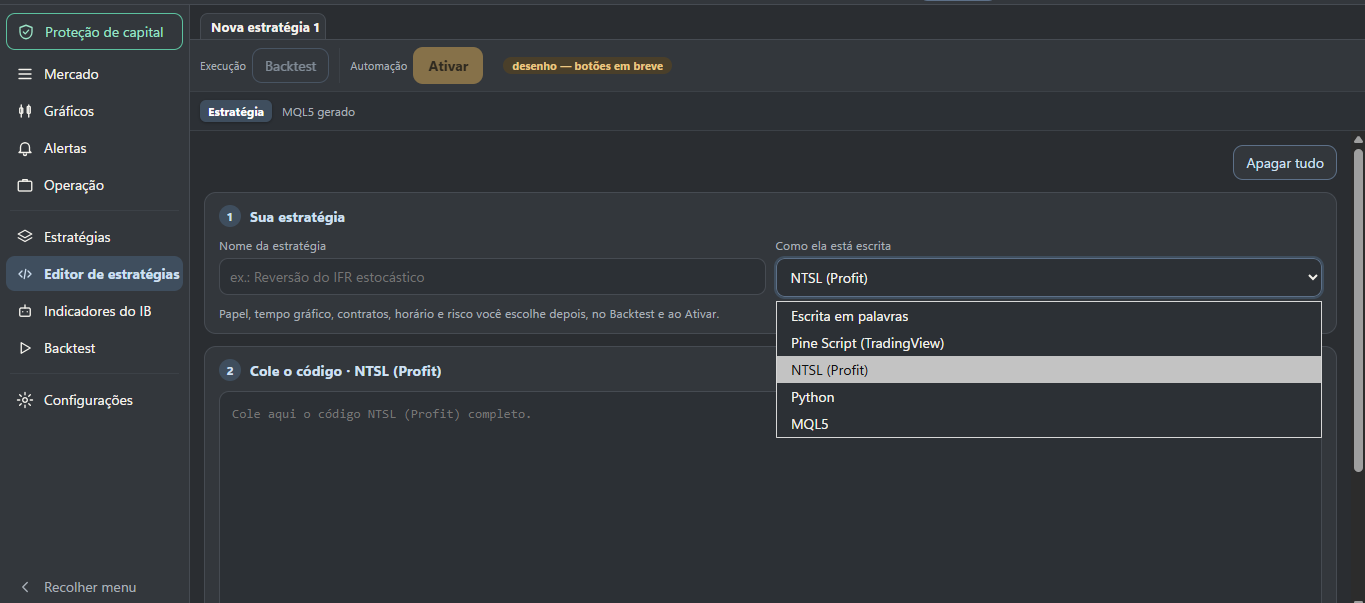
NTSL, Python, MQL5, Pine Script or words: the language is just the path. What matters is your strategy — and the regions where active protection blocks new entries.
Use one of the supported languages or explain your logic in words.
The platform shows what it understood. You approve or ask for changes.
Review the generated code, run the backtest and set your trading limits.
Conversion depends on each strategy's features and dependencies. The interpreted rules and generated code must be reviewed and tested.
NTSL, Python, MQL5, Pine Script or words: the language is the path. IB interprets your logic and shows what it understood. You review, approve or ask for corrections before the robot is prepared for testing.
Entry: break of the previous high.
Exit: stop and target set by you.
Control: configurable daily loss limit.
 Enlarge image ↗
Python, NTSL, Pine Script or MQL5: start with your logic and review the interpretation before approving.
 Enlarge image ↗
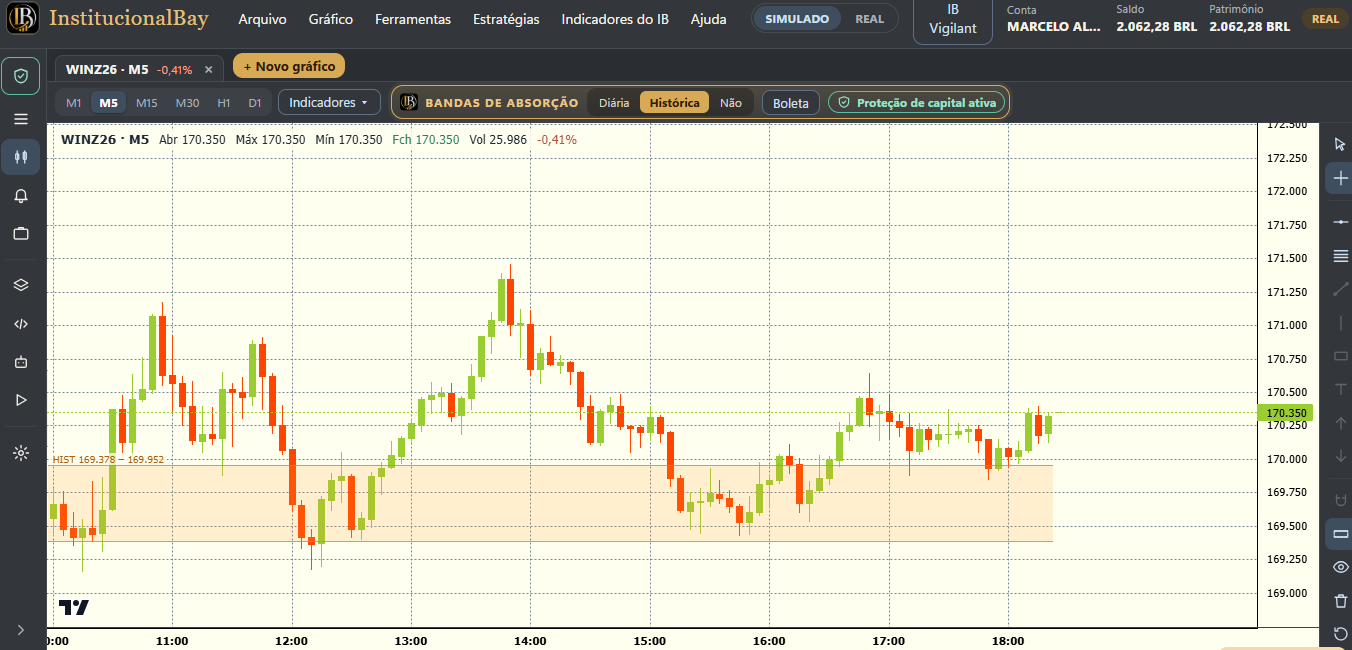
The bands are part of reading the market and of the active capital protection rules.
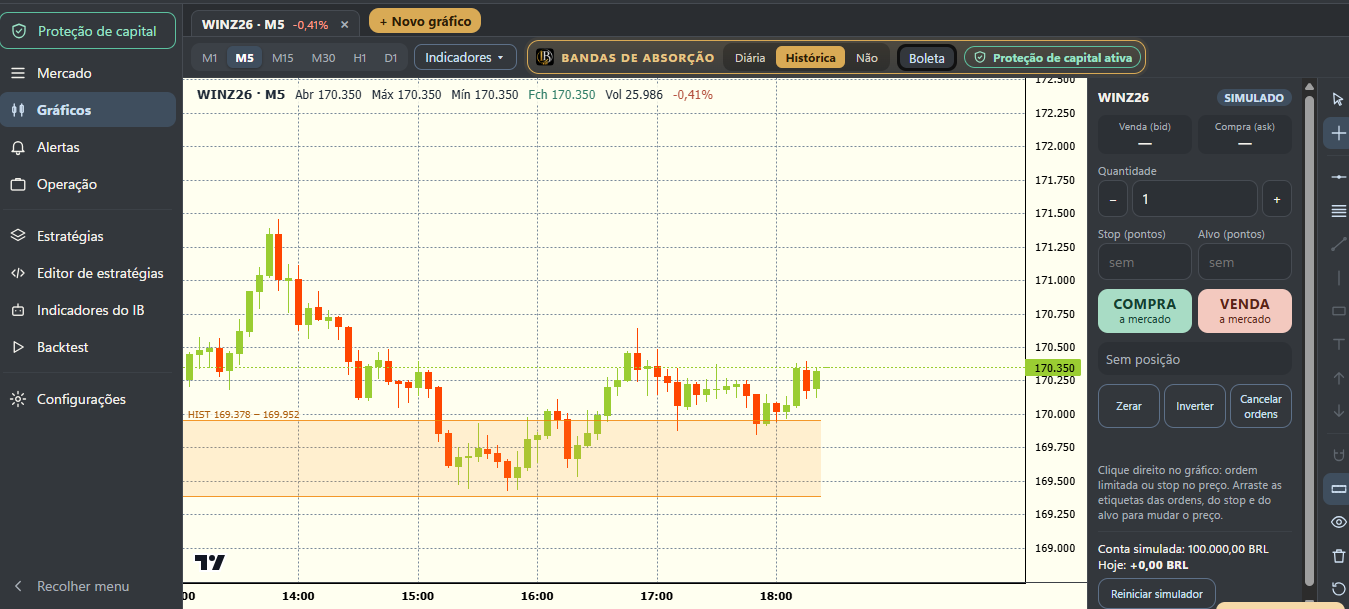 Enlarge image ↗
Chart, order ticket, quantity, stop and target to manage your manual trades.
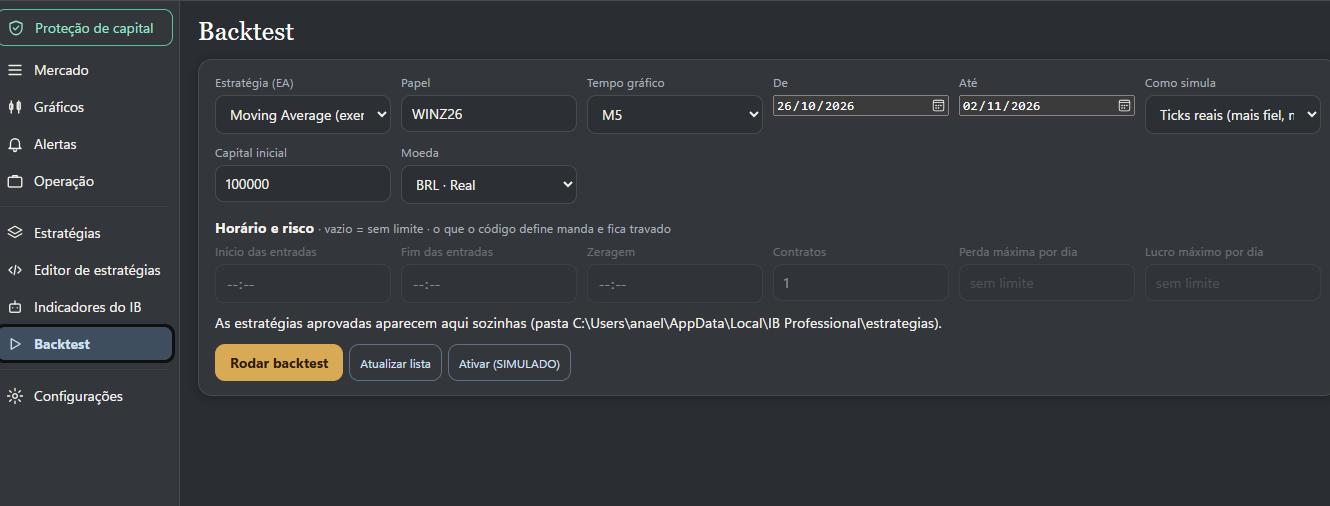 Enlarge image ↗
Choose asset, period and parameters. Watch how the strategy behaves before going live.
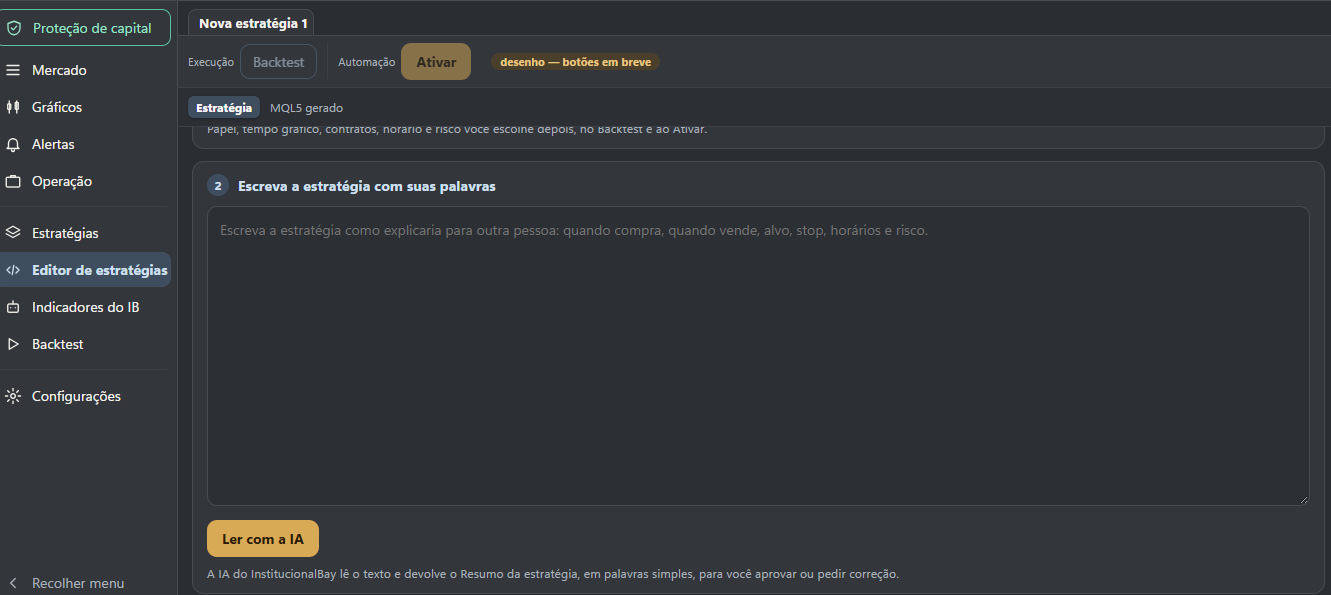 Enlarge image ↗
Describe when to buy, sell and exit. Check what the AI understood and approve or ask for corrections.
InstitucionalBay's absorption regions are part of trading. Under the protection rules, new entries are blocked inside those regions — both manual and automatic.
With an open position, the allowed actions follow the protection rules, including closing or reversing. Protection does not remove the risk of losses.
See suggestions per signal, based on the last three months. Also look at the observed losses before choosing.
For active traders, Vigilant lets you set up other assets while you stay focused on your own strategy. For those who prefer to delegate execution, it brings the rules and monitoring together in a simple panel.
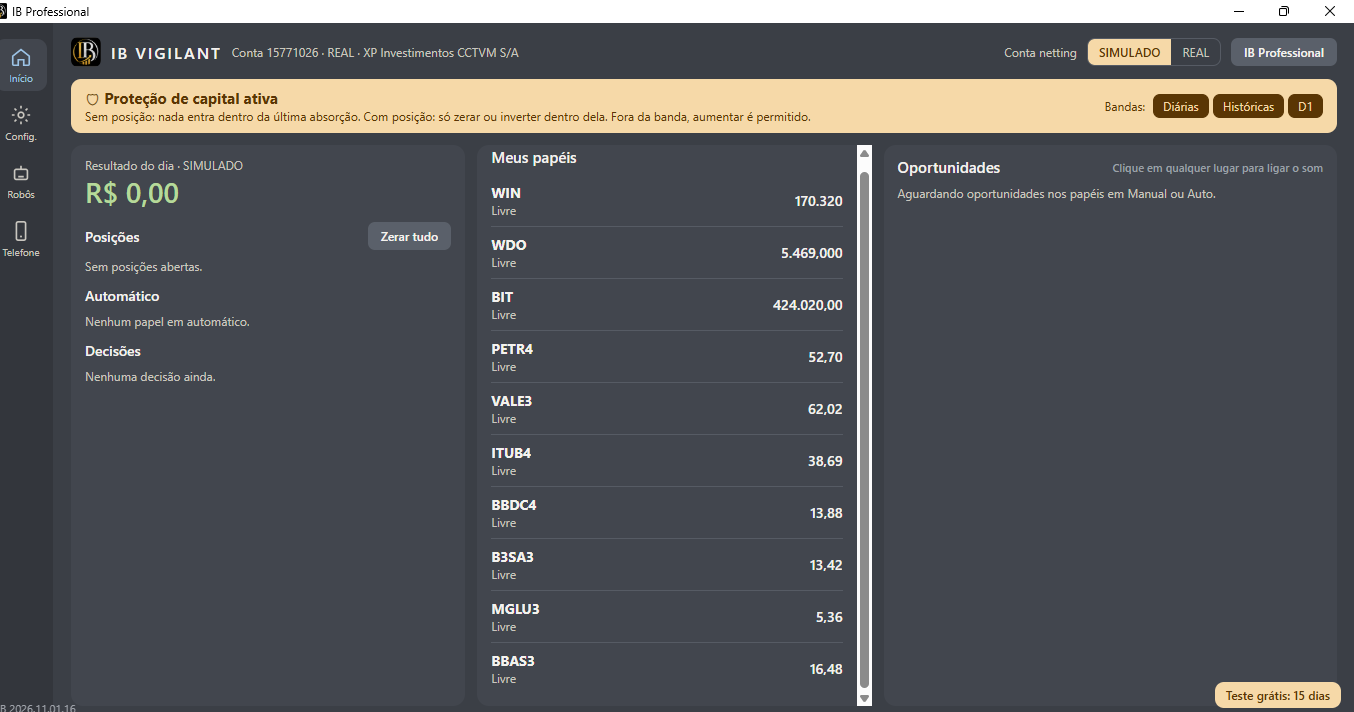 Enlarge image ↗
Positions, assets and opportunities in a simple monitoring panel.
 Enlarge image ↗
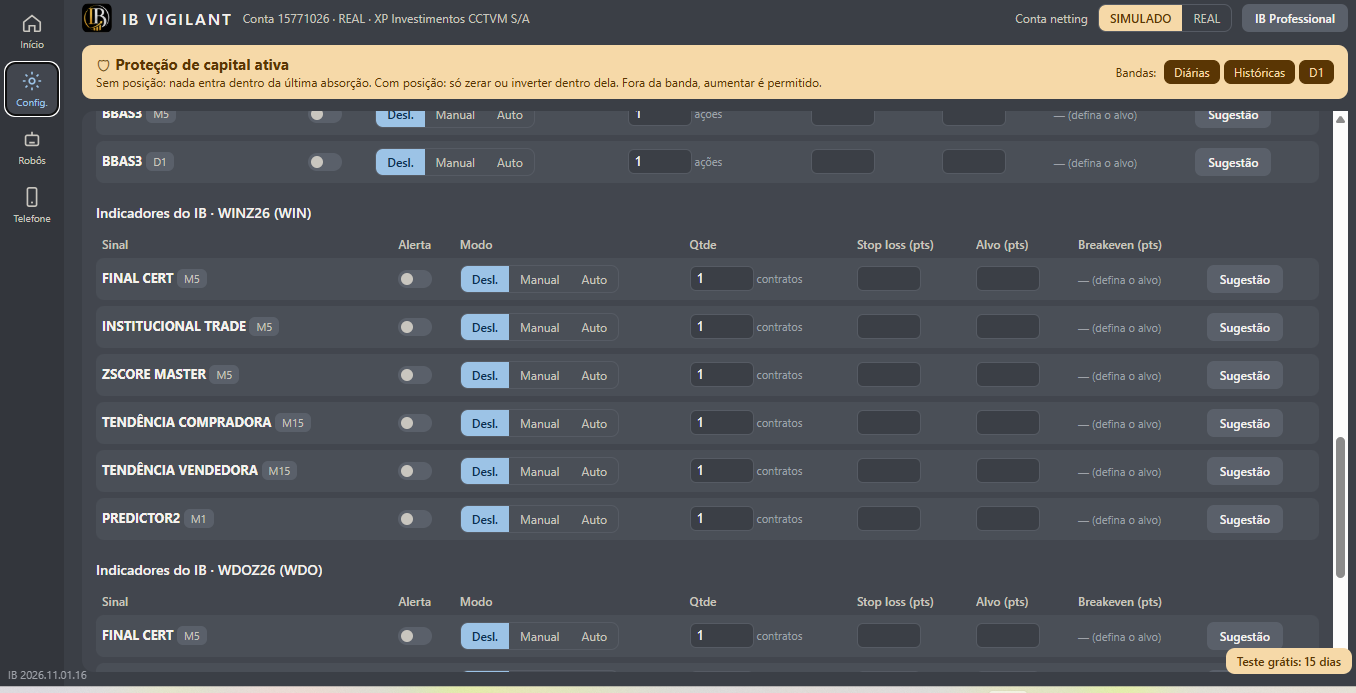
Choose the involvement mode per signal and set quantity, stop, target and breakeven.
 Enlarge image ↗
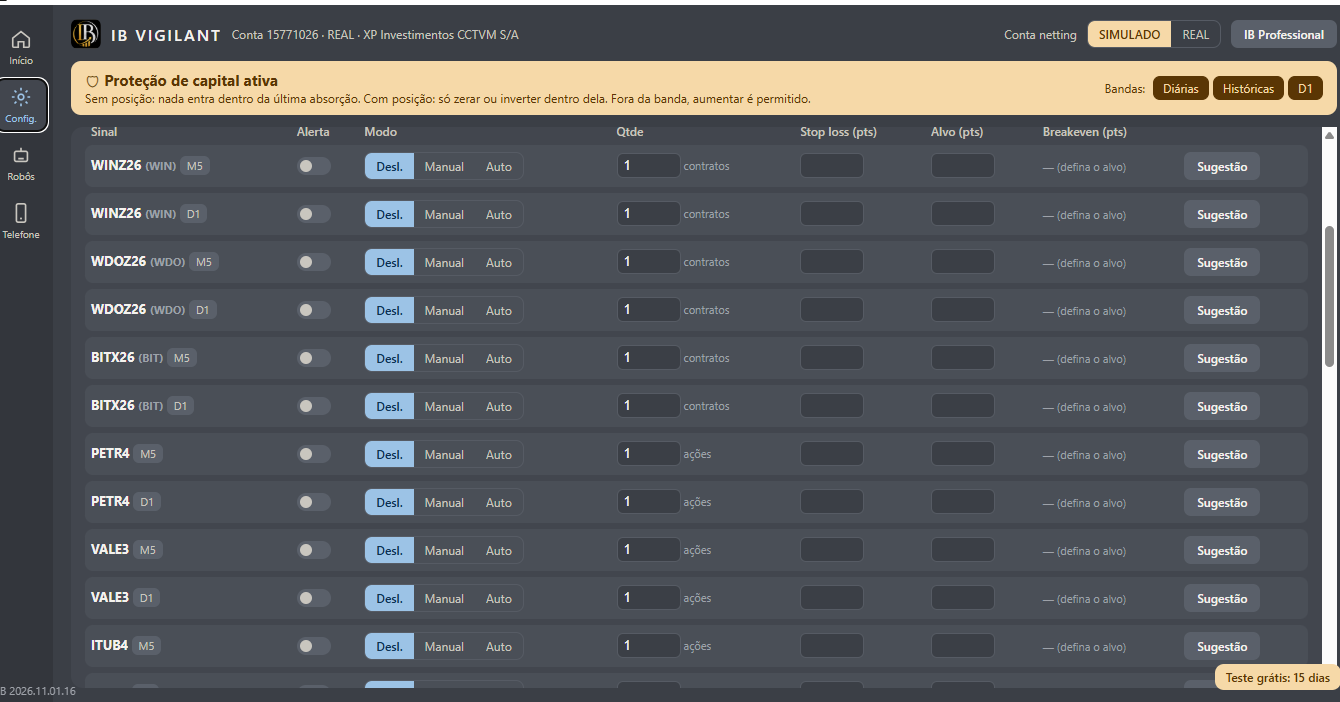
Set up breakouts per asset and period: off, manual or automatic.
 Enlarge image ↗
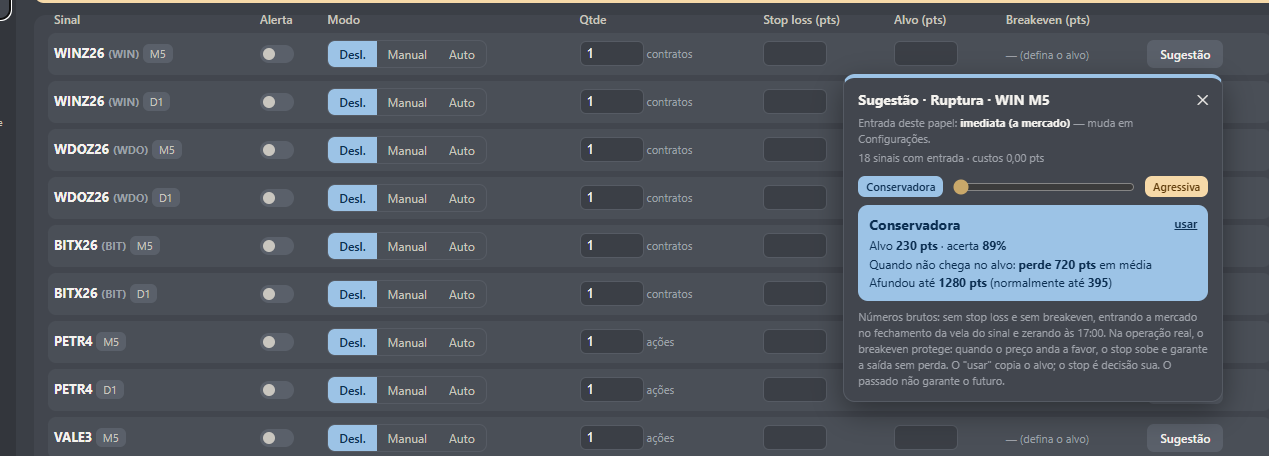
Explore conservative or aggressive suggestions. Look at the hit rate together with losses and swings.
Historical data from the screenshot. Costs, stop and breakeven follow the conditions described on the screen itself. Past results do not guarantee future results.
 Enlarge image ↗
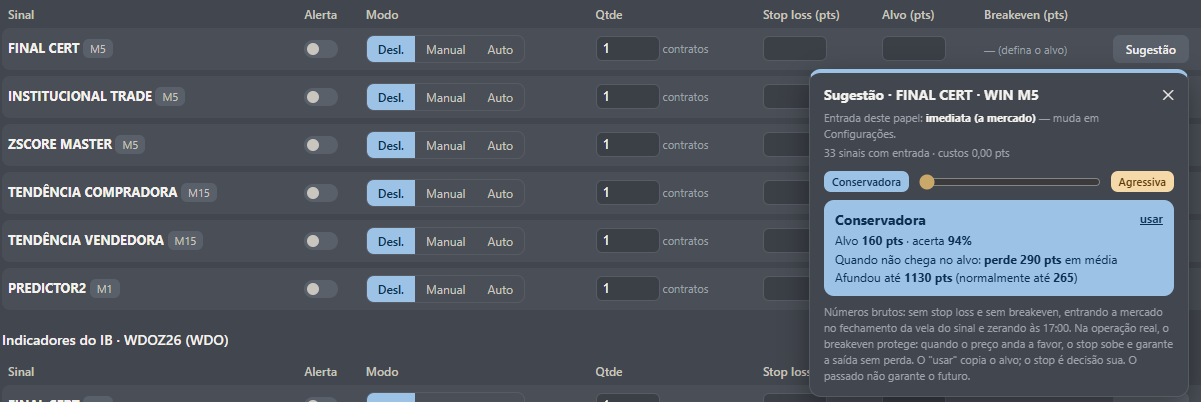
See suggestions per indicator based on history. The figures shown are historical samples, not forecasts.
Historical data from the screenshot. Costs, stop and breakeven follow the conditions described on the screen itself. Past results do not guarantee future results.
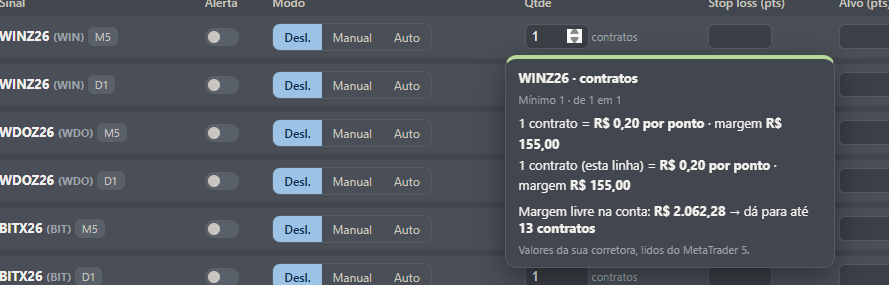 Enlarge image ↗
See the value per point and the margin reported by your broker when setting the quantity. Available margin is not a loss limit.
Create and validate in Professional. Use the approved strategy in Vigilant. Both environments can trade on the same account.
| What you want to do | IB Professional | IB Vigilant |
|---|---|---|
| Analyze charts and send orders from the ticket | ✓ | Panel without chart analysis |
| Describe or import a strategy for interpretation | ✓ | Uses approved strategies |
| Test strategies with real ticks | ✓ | Historical suggestions per signal |
| Trade with InstitucionalBay indicators | ✓ | ✓ |
| Automate trading with rules and limits | ✓ | ✓ |
| Apply active capital protection | ✓ | ✓ |
The IB Platform brings both together in a single IB Platform subscription. You can use each environment as you need, even on the same account.
You can describe your strategy's logic in your own words. The platform shows what it understood for you to review. After approving, test the strategy and set your limits before trading.
Active protection was designed to reduce exposure to entries in absorption regions. It applies trading rules related to those regions, including blocking new entries. This does not guarantee you won't lose money: financial trading remains subject to losses, costs and execution conditions.
No. They use the last three months of history to help evaluate parameters. That history should also be read for its losses and swings, and it does not guarantee future results.
The IB Platform uses MetaTrader 5's connection and execution infrastructure, with its own experience in Professional and Vigilant. Available assets and account modes depend on the broker.
The trial lasts 15 days, with IB Professional and IB Vigilant. Start in simulated mode to get to know the environments, review strategies and set limits.
Order execution draws on the experience of thousands of hours of MetaTrader 5 use around the world.
Explore both environments. Try the features. Discover a way of trading that follows how you think.
Don't have an account yet? Sign up free, it takes a minute.